1. Base & Surface Extraction
generating the grass base layer
MagicaVoxel has no native grass shader, so we fake it with Boolean ops. Start with a solid base object — here a grey rock, 126 x 126 x 107 voxels. Solid means no gaps inside the volume; run Flood first to fill any empty space.
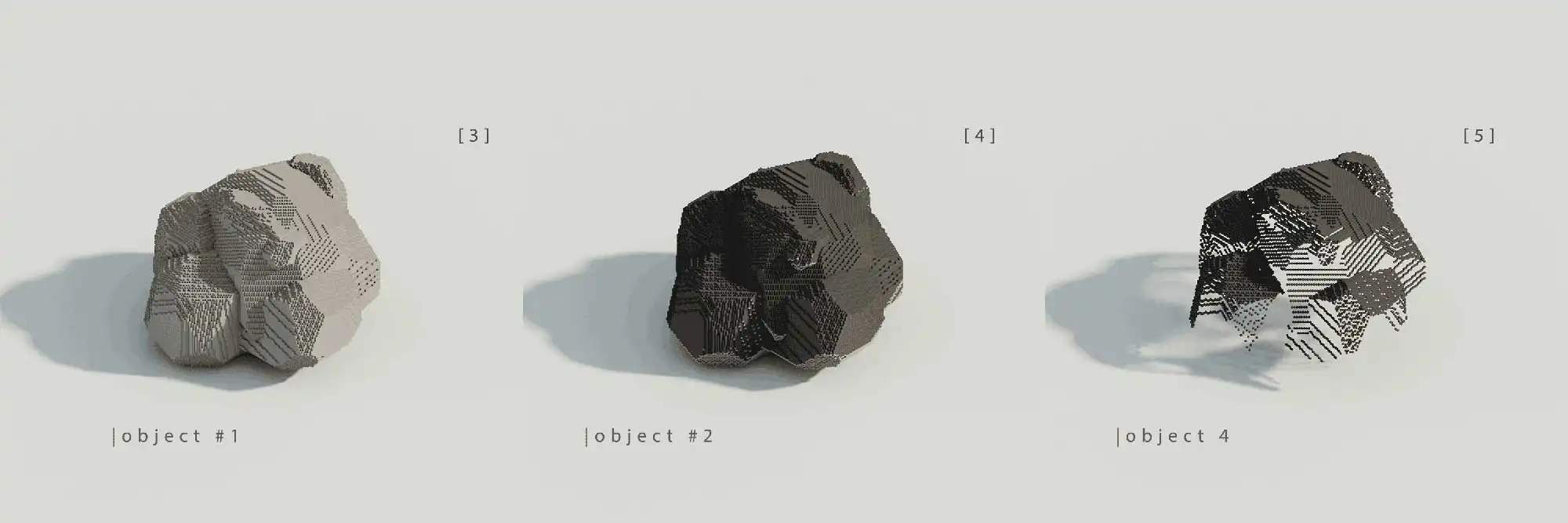
Base object (solid rock)
How to extract the surface
- Copy the rock, shift the copy +1 voxel on z, recolor it dark grey.
- Copy the original rock again, set it as "operand" in the Boolean menu.
- Select the dark grey copy, apply "sub" — only its top-layer voxels survive.
What's left is a single-voxel-thick shell: the base your grass will grow from.
Design Rules
- Always start from a solid base volume.
- Grass is derived from surface voxels, not placed arbitrarily.
- Use Boolean operations to extract clean surface layers.
2. Density Control
thinning out the grass base layer
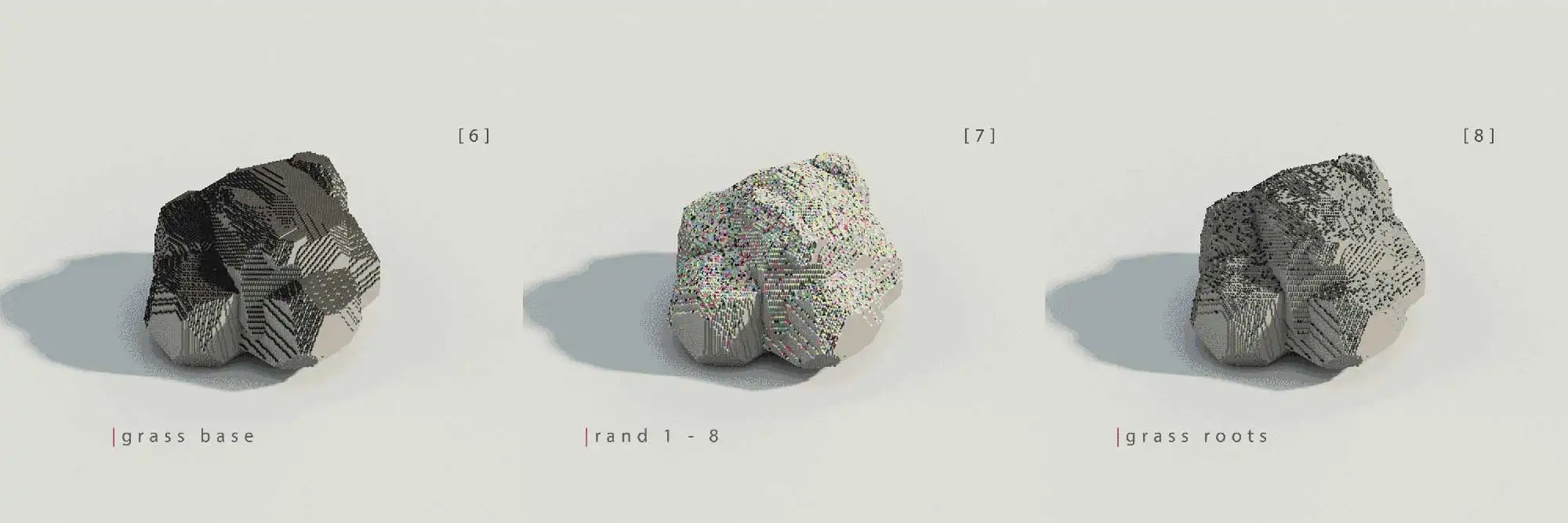
Control of density by thinning out the grass base layer
Select every voxel of the shell and run rand 1 - 8. This randomly colors them across 8 palette slots. Pick one color group, delete the rest — what remains are sparse, isolated voxels. These become your grass roots.
Thin further by hand: delete any root voxel still touching a neighbor. Less is more here — oversaturated roots read as noise, not grass.
Design Rules
- Density is controlled through voxel reduction, not randomness alone.
- Each grass root should remain isolated on the surface.
- Manual thinning improves control and avoids oversaturation.
3. Height Variation
preparation for grass height variation
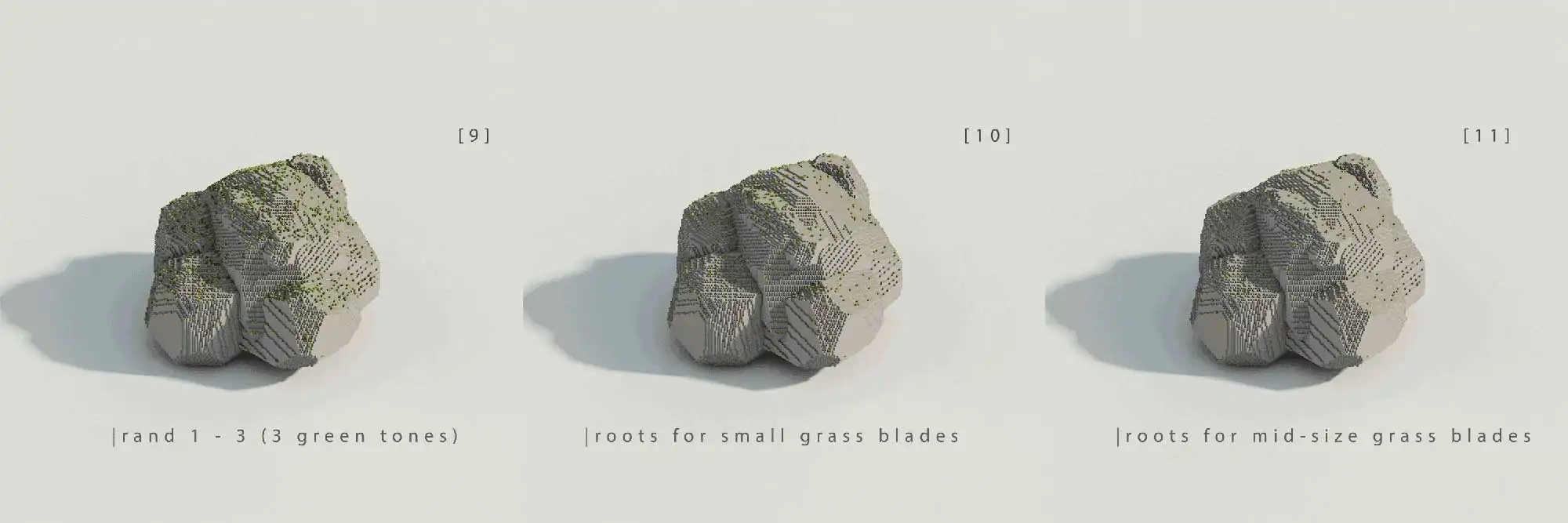
Preparation for grass height variation
Run rand 1 - 3 on the roots and assign 3 green tones. Each tone will become a height class — short, mid, tall.
How to split by height
- Duplicate the root object twice — 3 copies total (objects #4, #5, #6).
- In each copy, delete the voxels of the other two green tones.
- Result: 3 independent root sets, one per height class.
Design Rules
- Density is controlled through voxel color randomization.
- Each grass height group corresponds to a unique voxel color.
- Each grass variant must be an independent object.
4. Blade Growth
vertical growth
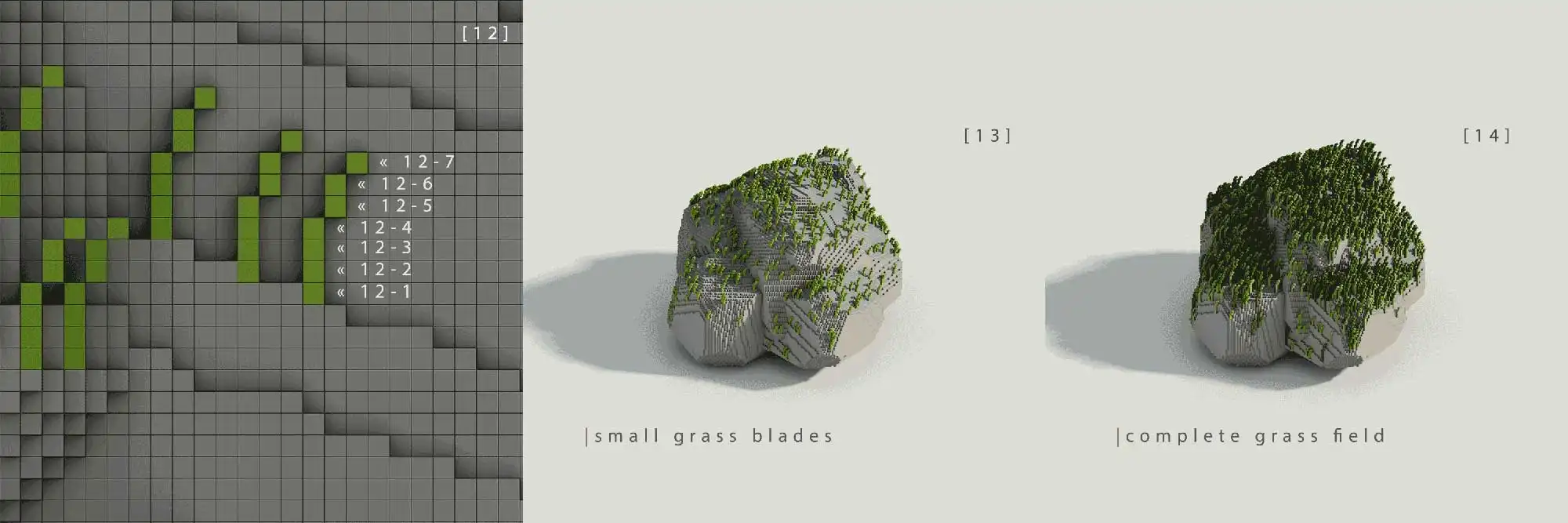
Height layer separation
Now grow the blades. Start with the shortest height class and build upward through repeated copies — height comes from z-offsets, curvature from small x-offsets.
How to start?
- Copy the first root layer and move it by +1 voxel along the z-axis.
- Repeat the process with increasing z-offsets to build blade height.
- Add small x-axis offsets in later steps to shape the blade profile.
- Repeat the same approach for mid-sized and tall grass with more iterations.
Design Rules
- Height is generated through copy iteration, not manual sculpting.
- Blade curvature comes from small lateral offsets.
- The same logic can be reused for short, mid, and tall grass blades.
5. Result & Applications
scalable, non-destructive vegetation
This scales well and handles complex surfaces — undercuts, folded geometry, whatever the base rock throws at it. The same technique works for snow layers too.
Because height is separated into discrete layers, individual blades stay editable — which also opens the door to frame-by-frame vegetation animation.
Control always outranks randomness. Structured layers make the system reusable, animatable, and easy to vary.